
Sportzfy App
Live Cricket & Football
Download APK for Android
Download the Sportzfy APK for Android to watch available live cricket, football and other sports. The Sportzfy App brings sports channels, live events and upcoming match listings together, making it easy to find what you want to watch from your phone.
Download Sportzfy APK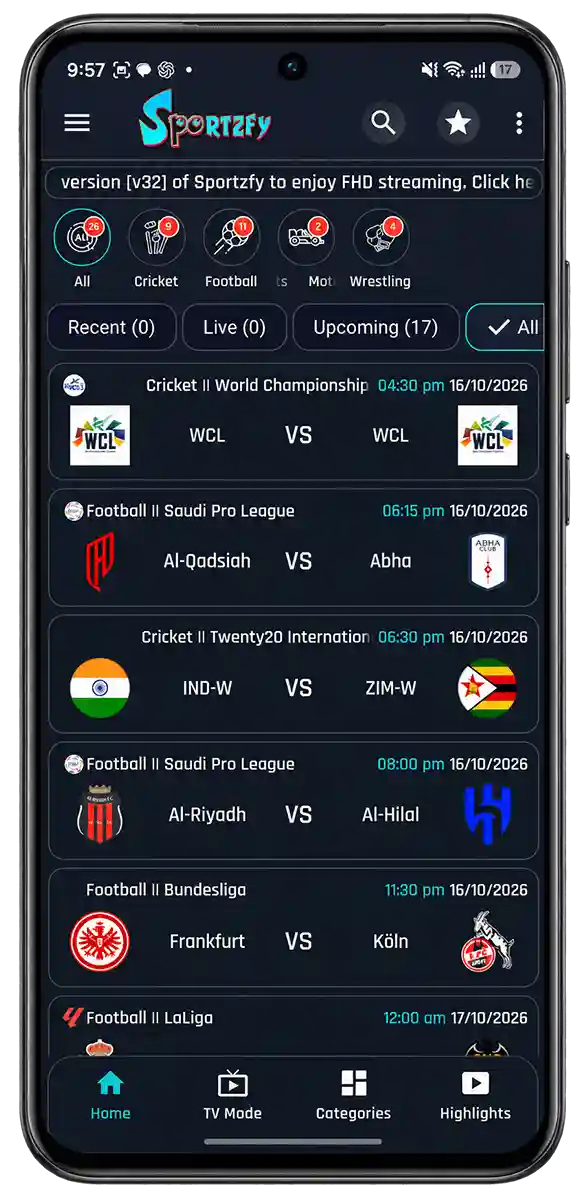
What Is Sportzfy App?

Lightweight App

Free to Use

HD Streaming

Live Sports
Sportzfy APK Information
Check the Sportzfy APK details below before you download. The table lists the app version, file size, release date and minimum Android requirement to help you check whether it’s suitable for your device.
| App name | Sportzfy |
|---|---|
| Version | v32 |
| APK Size | 15.3 MB |
| Requirs | Android 5.0+ |
| Price | Free |
Live Cricket, Football and Daily Events
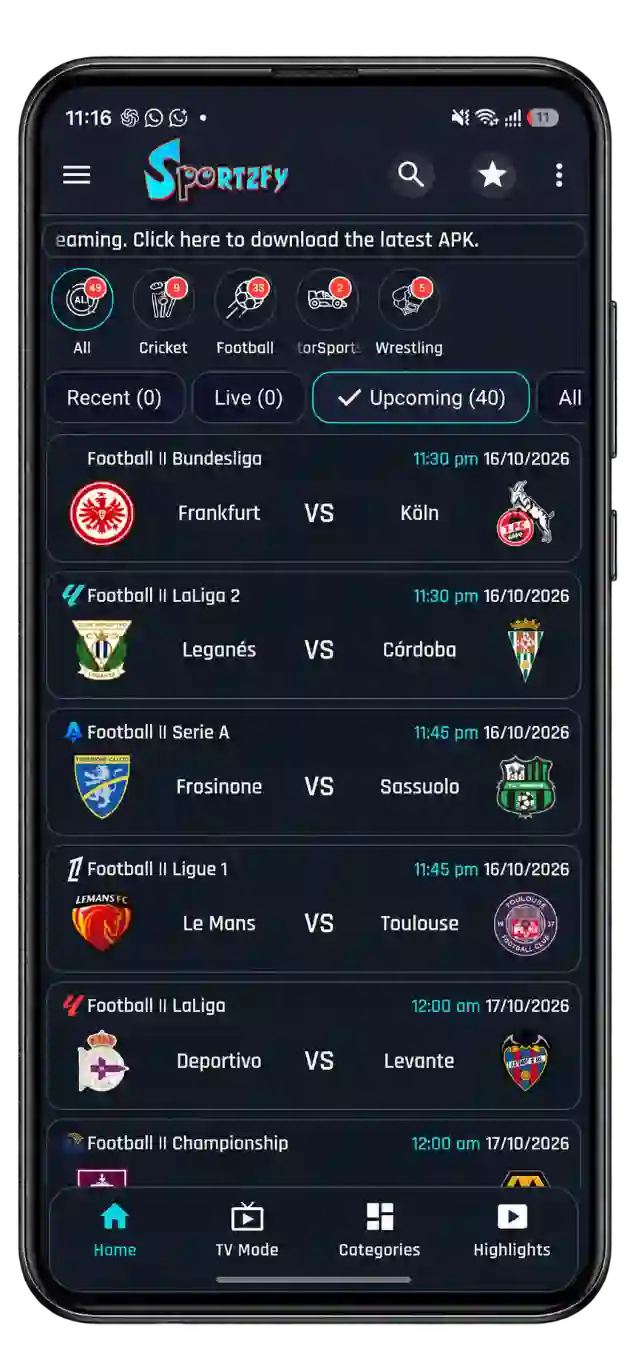
Follow the day’s sports with Sportzfy, from cricket matches to football fixtures and other live events. The Home section brings daily match listings together, with All, Live, Upcoming and Recent filters to help you find what you’re looking for. See which matches are underway, check what’s coming next and choose an available stream when it’s time to watch.
Sports Channels on Sportzfy
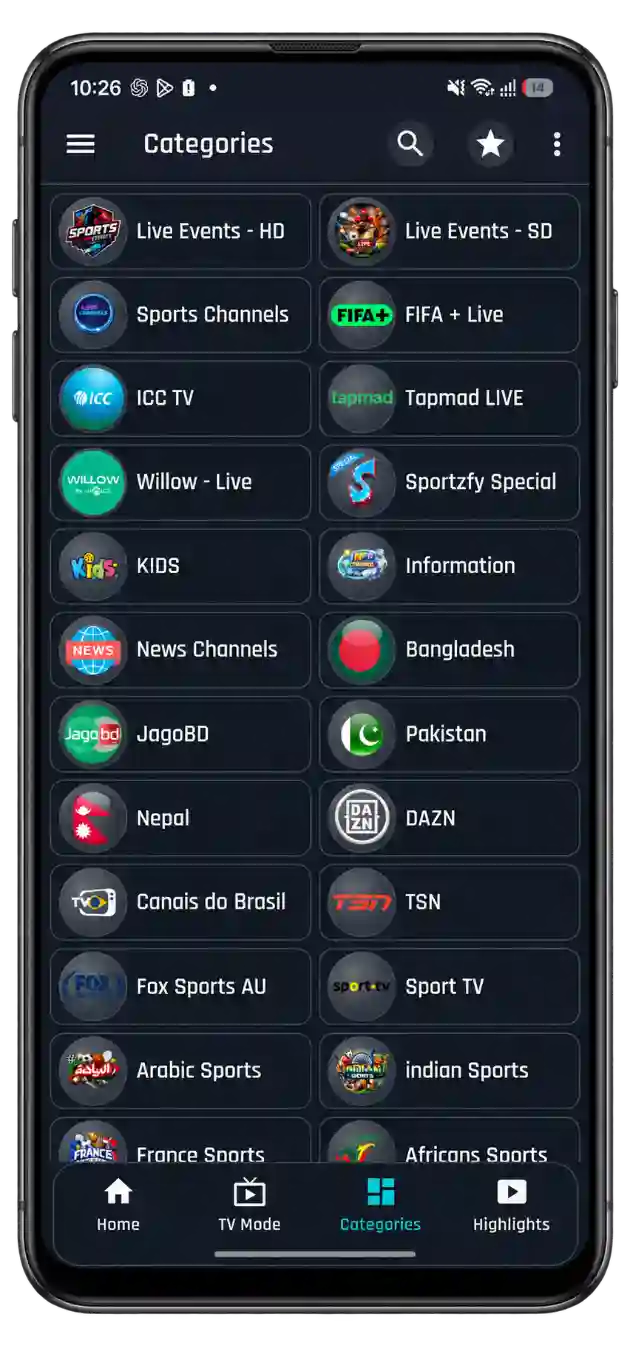
Sportzfy brings available sports channels together so you can follow cricket, football and other sports beyond the daily match listings. Whether you want to watch an event or see what a channel is showing, you can choose from the channels available in the app. This gives you another way to find sports coverage when you prefer browsing channels instead of individual matches.
Sportzfy Player With Multi-Screen Viewing
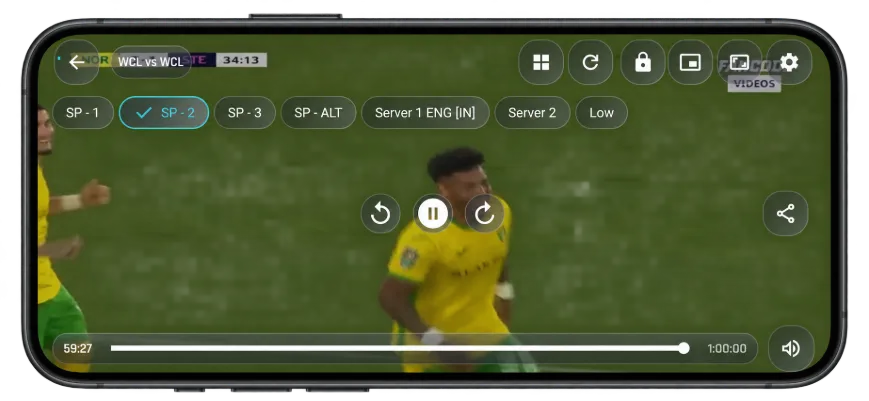
Watch up to four events at once with Sportzfy’s multi-screen mode, or keep a match playing in a floating window while you use other apps. Auto server switching tries another link if the current one stops working. You can also lock the player to prevent accidental taps, change video quality and choose between available audio tracks. Player settings keep these options close when you need them.
Watch Match Highlights
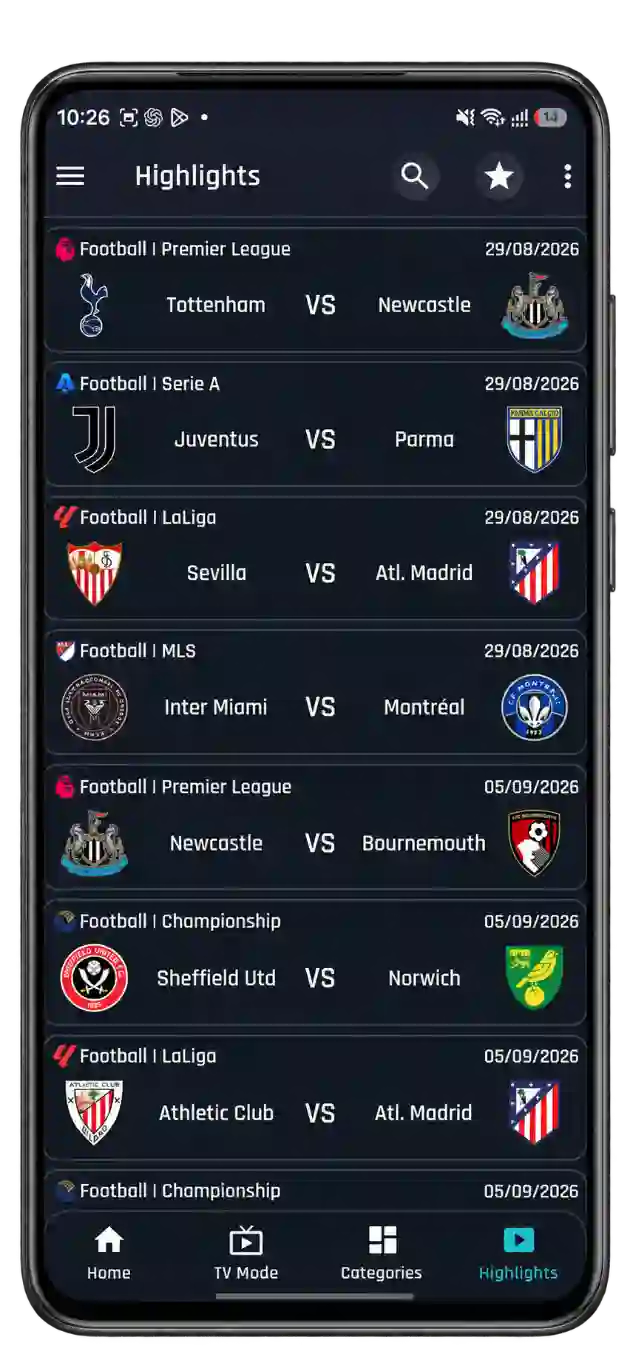
Missed a match or want to watch the key moments again? Sportzfy brings available sports highlights together, so you can catch the goals, wickets and other moments that shaped the game. Follow up on cricket, football and other events without watching the full match. The highlights available may vary by event.
What Is the Sportzfy APK?
Sportzfy APK is a sports streaming app for Android where you can watch available live cricket, football and other sports, browse channels and catch match highlights. Daily event listings help you find what’s on, while the All, Live, Upcoming and Recent filters keep matches easy to browse.
Its built-in player lets you watch without installing a separate video player. Follow up to four events together, keep a match visible in a floating window or choose from the video quality and audio options supplied by a stream. Player lock helps prevent accidental taps, while automatic server switching tries another available link if playback fails.
Channels Offered on Sportzfy TV App
Browse sports channels and regional categories alongside the daily event listings. The selection and working links can change, so check what is available when you open the app.
Football and Other Sports
Find available matches, sports programmes and match analysis. Coverage follows each channel’s schedule, so the same channel may show different sports throughout the day.
- Sky Sports Football
- Fox Sports
- Sony Sports
- Ten Sports
Cricket Channels
Browse cricket coverage beyond individual match listings. Depending on the broadcaster’s schedule, you may find live games, pre-match discussions and post-match reviews.
- PTV Sports
- Star Sports Network
- Willow TV
- SuperSport Cricket
Bangladesh and Regional Channels
Country categories help you find familiar channels without searching the entire selection. Open a relevant group to check the channels and programmes currently listed.
- Bangladeshi Channels
- Pakistani Channels
- Indian Channels
- Nepali Channels
Channel names are examples to look for, not a guarantee of current availability. Picture quality, commentary language and audio options depend on the selected stream.
What’s New in Sportzfy v32?
Released on 27 August 2026, Sportzfy v32 adds more viewing options and fixes bugs from earlier versions. These are the main changes for users updating an older copy of the app.
Multi Player
Watch up to four events together when matches overlap, without repeatedly switching between them.
TV Mode
Choose a layout suited to a bigger screen. TV Mode is also available when using Sportzfy on mobile.
Bug Fixes
This release includes fixes for issues found in previous versions of Sportzfy.
The glass-style interface arrived in an earlier update and remains part of the app’s design.
How to Download and Install Sportzfy APK
Download the APK, allow installation for the app opening it and complete the setup. Setting names may differ depending on your phone.
-
Download the APK
Check the version and Android requirements on the download page. Save the APK and wait until the download finishes.
-
Allow Installation
Open the file. If prompted, select Settings and enable Allow from this source for your browser or file manager.
-
Install Sportzfy
Return to the APK and tap Install. Keep Play Protect enabled and read any security messages before proceeding.
-
Open and Start Browsing
Tap Open, let the listings load with an internet connection and choose an available match or channel.
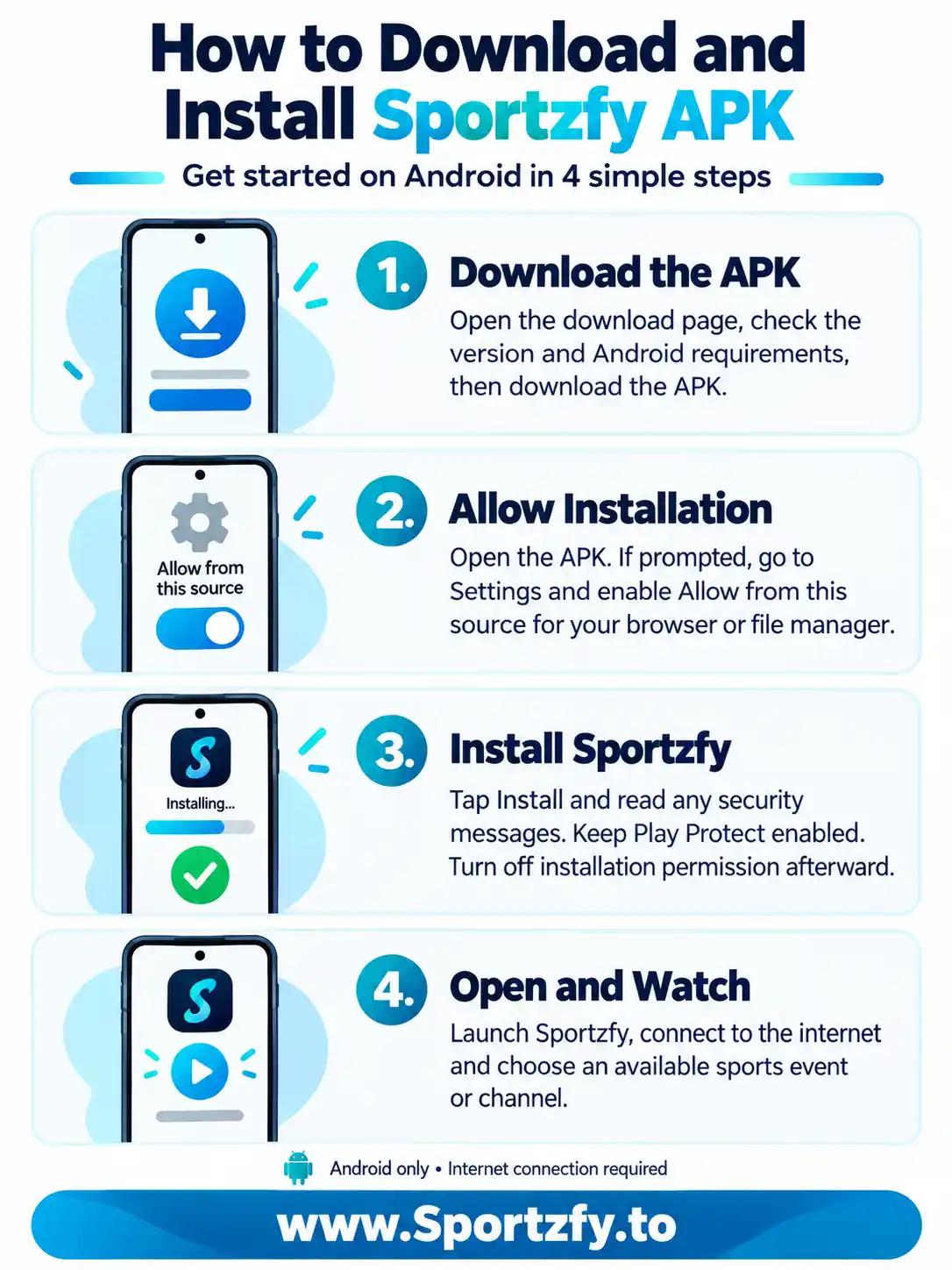
After installation, you can turn off the installation permission and delete the downloaded APK. Sportzfy has no iPhone or iPad app; the Android APK cannot be installed on iOS or iPadOS.
Sportzfy for TV, FireStick and PC
Prefer watching from the sofa or on your computer? Choose the setup that matches your device.
Watch on a Bigger Screen
Install the same Sportzfy APK on a compatible Android TV, Google TV or Android-based FireStick. Use TV Mode and your remote to browse matches and player controls. Samsung Tizen and LG webOS cannot install the APK directly.
Sportzfy for TV GuideRun Sportzfy on Your Computer
Use a compatible Android emulator to install the APK on a Windows PC or Mac. There is no native Sportzfy desktop app, so check that your emulator supports your operating system and hardware before setting it up.
Install Sportzfy on PCA Few Checks Before You Start Watching
These checks can help when you have just installed Sportzfy or are returning after a while.
Check Your Connection
Use a steady internet connection. If playback buffers, lower the quality or compare Wi-Fi and mobile data.
Check Stream Availability
An upcoming listing may not have an active link yet. Check closer to the match’s start time.
Check Your App Version
Compare your installed version with the available release. A compatible update may include fixes for older issues.
Features of Sportzfy App
Daily listings help you find the match, while the built-in player gives you control over how you watch it.
Live Sports Channels
Browse available channels for cricket, football and other sports. Follow a channel’s coverage beyond a single match, including sports programmes, discussions and analysis when listed.
Daily Sports Events
The Home section brings the day’s listed events together. Find a match without checking every channel separately, then open an available link when coverage begins.
Live and Upcoming Filters
Switch between All, Live, Upcoming and Recent. Find matches in progress, check what is scheduled next or browse earlier listings without mixing everything together.
Built-In Video Player
Watch directly inside Sportzfy App without installing another player. Video quality, available audio tracks and playback controls stay within reach while the match is playing.
Multi Player for Four Events
Keep up to four events visible on one screen. It helps when matches overlap, though each additional stream needs more bandwidth and device resources.
Automatic Server Switching
If the current link fails, the player tries another available server. Playback still depends on having a working alternative link and an active internet connection.
Floating Window
Keep a stream visible in a small window while using other apps. Reply to messages or check your browser without completely leaving the match.
Video Quality Options
Choose from the quality levels offered by the stream. A lower setting may reduce buffering and data use, while a higher one needs a stronger connection.
Multiple Audio Tracks
Switch commentary or audio when the source provides more than one track. Available languages and track options can differ between matches.
Player Lock
Lock the player controls to reduce accidental changes while holding or moving your phone. Unlock them whenever you need to adjust playback.
TV Mode
Use a layout suited to television viewing on compatible devices. TV Mode is also available on mobile, while a larger display gives menus and listings more room.
Match Highlights
Catch available goals, wickets and other key moments without watching the full event. Highlights depend on what has been added and may not cover every match.
Streams, Playlists and Channel Categories
Open compatible stream links, browse grouped channels or adjust playback when your connection is slow.
Sportzfy vs Cricfy, RTS TV and Live Net TV
Sportzfy combines daily sports listings with Multi Player, TV Mode and limited app advertising. Here is how its focus compares with other familiar streaming apps.
| What You Want | Sportzfy | Cricfy | RTS TV | Live Net TV |
|---|---|---|---|---|
| Main Viewing Focus | Daily sports events, channels and available highlights | Cricket and other sports coverage | Sports and general live TV | Live channels across several categories |
| App Advertising | One ad per 12-hour period | Ad frequency not verified | Ad frequency not verified | Ad frequency not verified |
| Following Overlapping Matches | Up to four events together with Multi Player | Check current player options | Check current player options | Check current player options |
| Finding Something to Watch | All, Live, Upcoming and Recent event filters, plus channels | Sports coverage and available channels | Live TV and content categories | Channel categories |
| Watching on a TV | TV Mode in the same Android APK | Check device and release compatibility | Check device and release compatibility | Check device and release compatibility |
Other apps may change their features and advertising between releases. Unverified options are not marked as missing. Sportzfy’s ad limit applies to its own app ads; advertising within a broadcaster’s stream is separate.
Sportzfy Not Working? Try These Fixes
Check whether the problem affects one stream or the whole app, then open the relevant fix below.
Stuck on the Loading Screen
Close Sportzfy completely and switch between Wi-Fi and mobile data. If it still will not load, try a VPN to check for a network restriction. This will not fix a server outage. Once the app loads, check whether it works without the VPN.
APK Not Installing
Check that the download finished, your device meets the Android requirement and enough storage is available. Allow installation for the browser or file manager opening the APK. Keep Play Protect enabled and read any security message.
Buffering or Streams Not Playing
Try another available link. If several streams buffer, lower video quality or enable Force Low Quality. Pause other downloads and test a different connection. When using Multi Player, try fewer events.
App Not Opening or Crashing
Restart your device and open Sportzfy again. If needed, go to Settings > Apps > Sportzfy > Storage and clear the cache. Menu names vary. Clearing app data can reset saved settings, so avoid doing that as your first step.
Matches or Channels Not Loading
Check your connection and reopen the app. Use All or Live when looking for an event in progress. Upcoming matches may not have working links yet. If only one channel fails, try another; if nothing loads, there may be a wider service issue.
Update Not Installing
Download the APK again in case the file is incomplete. A package conflict may mean the update does not match your installed app. Check the app variant, source and exact error before uninstalling, as removing Sportzfy may erase saved settings.
Our Review of Sportzfy App
Sportzfy’s main appeal is having daily sports events, channels and highlights together in one Android app. Event filters make matches easier to find, and the player offers useful controls beyond basic playback. Multi Player helps when matches overlap, while the floating window keeps a stream visible during other tasks.
The limit of one app ad per 12 hours is another useful point for regular viewers. Together with TV Mode and the built-in player, it makes Sportzfy worth considering if sports are your main reason for using a streaming app.
Stream quality and availability still vary, and automatic server switching needs another working link. Watching several events also puts more demand on your connection and device. Your experience depends on the streams available, your hardware and your internet.
Sportzfy.to is an independent website. We publish app information, download details and practical guides. We do not develop Sportzfy or operate its streaming servers.
Frequently Asked Questions
Answers to common questions about Sportzfy, supported devices and watching available sports streams.
Is Sportzfy free to use?
Yes. Sportzfy is free to download and use. You still need an internet connection, and your provider’s usual data charges apply.
Does Sportzfy show ads?
Sportzfy shows one app ad per 12-hour period. Ads included within a broadcaster’s stream are separate from the app’s advertising.
Is Sportzfy available on Google Play?
Sportzfy is not listed on Google Play. It is installed through an Android APK on compatible devices.
Can I install Sportzfy on iPhone or iPad?
No. Sportzfy has no iOS or iPadOS app. Its Android APK cannot be installed on an iPhone or iPad. Renaming the file or changing its extension will not make it compatible.
Do Android phones and TVs use the same APK?
Yes. Android phones and supported TV devices use the same Sportzfy APK. TV Mode is available inside the app, including on mobile.
Can Sportzfy run on Windows or Mac?
You need a compatible Android emulator to run Sportzfy on a computer. There is no native Windows or Mac app, and emulator support depends on your operating system and hardware.
Does Sportzfy work on every Smart TV?
No. Compatible Android TV, Google TV and Android-based FireStick devices may support installation. Samsung Tizen and LG webOS cannot install Android APKs directly.
Can I watch four matches at the same time?
Multi Player supports up to four events together when working streams are available. Multiple streams need more bandwidth and device resources. If playback struggles, lower the quality or watch fewer events.
Will a 4K television make every stream 4K?
No. Picture quality depends on the source stream, player settings and connection. A 4K screen cannot turn a lower-resolution stream into native 4K.
Can I watch live matches offline?
No. Live matches need an active internet connection. An event or highlight appearing in the app does not mean its video has been downloaded.
Can I delete the APK after installation?
Yes. Deleting the downloaded APK removes the installation file without uninstalling Sportzfy. You will need another APK download when installing an update.
Download Sportzfy App for Android
Check the APK details and device requirements before installing. Once set up, browse the available matches and channels, then choose the player settings that suit your screen and connection.
Download Sportzfy APK